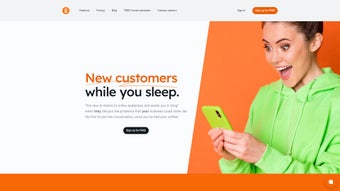

Download CustomerPing – AI‑Powered Prospecting & Engagement Tool
Introduction
CustomerPing is an innovative AI‑driven platform built for entrepreneurs, sales teams, and marketers who want to turn online chatter into qualified leads. By continuously scanning the internet—forums, social media, blogs, and niche communities—CustomerPing detects conversations that match the keywords you define. When a potential customer mentions a need that aligns with your service, the system instantly pushes a notification to your chosen channel.
This “radar station” approach automates prospecting, cuts down the hours spent on manual research, and delivers leads at the exact moment they express interest. The platform also supplies a versatile RSS feed that can be routed to Slack, Notion, email, or any other workflow tool you rely on, keeping your team in sync without switching apps. Whether you are a solo founder looking for a free starter package or an established enterprise needing scalable credit bundles, CustomerPing offers a flexible pricing model that grows with your business.
In short, it transforms passive listening into active engagement, helping you join the conversation, build trust, and accelerate sales. The cloud‑native architecture ensures that you always work with the latest AI models, and the intuitive dashboard means you can start seeing value within minutes of signing up, making it a powerful addition to any modern sales stack.
Key Features & Functionalities
The strength of CustomerPing lies in its deep feature set that combines cutting‑edge AI with practical workflow tools. Each feature is designed to reduce friction, improve data quality, and empower salespeople to act at the perfect moment. Below you’ll find a detailed rundown of the capabilities that set CustomerPing apart from generic keyword‑monitoring services.
- AI‑Powered Monitoring: Real‑time scanning of millions of web pages for keywords you set, ensuring no opportunity slips through.
- Custom Radar Stations: Create multiple monitoring profiles for different product lines, markets, or campaigns.
- Instant Alerts: Receive push notifications via Slack, email, or mobile app the moment a relevant mention is detected.
- RSS Feed Integration: Seamlessly push lead data into Notion, Trello, CRM tools, or any RSS‑compatible platform.
- Conversation Starter Toolkit: Suggested response templates and engagement tips to help you join discussions authentically.
- Scalable Credit System: Start free, then purchase credits as your monitoring needs expand—no hidden subscription fees.
- Analytics Dashboard: Track mention volume, response rates, and conversion metrics to fine‑tune your outreach strategy.
- Multi‑Language Support: Monitor discussions in English, Spanish, French, and German, expanding your global reach.
- Secure Data Handling: End‑to‑end encryption and GDPR‑compliant storage keep your prospect information safe.
- Cross‑Platform Accessibility: Web‑based interface works on Windows, macOS, Linux, Android, and iOS devices.
In addition to the core capabilities, CustomerPing continuously rolls out enhancements such as sentiment analysis, automated lead scoring, and AI‑generated outreach suggestions. These add‑ons are built directly into the dashboard, meaning you never have to install third‑party plugins or manage separate subscriptions. The result is a unified, secure, and future‑proof prospecting environment that scales with your organization’s growth.
Installation, Setup & Daily Usage
Because CustomerPing is a cloud‑native SaaS solution, there is no traditional installation process—just a secure sign‑up and a few minutes of configuration. Start by visiting the official website and clicking the “Get Started Free” button. After entering your email and creating a password, you’ll receive a verification link. Once verified, you’ll land on the onboarding wizard.
Step 1 – Define Your Radar: Choose a name for your radar station (e.g., “SaaS Leads – CRM”), then input the keywords, phrases, or hashtags that describe the problems your product solves. You can also set negative keywords to filter out irrelevant chatter. The wizard offers a keyword‑suggestion tool that pulls high‑volume terms from your industry, helping you build a robust list faster.
Step 2 – Choose Notification Channels: Connect your Slack workspace, add an email address, or generate a custom RSS URL. CustomerPing provides step‑by‑step guides for each integration, complete with screenshots. For teams using Microsoft Teams or Discord, webhooks are also supported via the API.
Step 3 – Test & Refine: Run a 24‑hour trial mode where the system logs matches without sending alerts. Review the sample data, adjust keyword weights, and enable the “Live Alerts” toggle once you’re satisfied. The trial also shows you how many mentions were captured per channel, giving you confidence before you go live.
Daily Workflow: When a new mention is captured, you’ll see it appear in the dashboard with source URL, timestamp, and sentiment analysis. Click the entry to open the original post, use the built‑in reply template, and engage directly. All interactions are logged, allowing you to track follow‑ups and conversion outcomes over time.
For teams that rely on existing CRMs, CustomerPing offers Zapier and native API hooks to push leads automatically into Salesforce, HubSpot, or Pipedrive. This ensures that every qualified prospect is captured without manual data entry, freeing your sales reps to focus on relationship building. If you encounter any hiccups, the support portal includes a searchable knowledge base, video tutorials, and live chat available 24/7.
Compatibility, Pros & Cons
CustomerPing runs entirely in the browser, making it compatible with all major operating systems—including Windows 10/11, macOS Ventura and later, Linux distributions, as well as mobile browsers on Android 9+ and iOS 14+. No additional plugins or desktop clients are required, which guarantees a consistent experience across devices. The responsive UI adapts to smaller screens, so you can monitor alerts on the go without sacrificing functionality. Because the service is hosted in the cloud, updates and security patches are applied automatically, eliminating the need for manual maintenance.
Performance is optimized through edge‑caching and load‑balancing, ensuring that keyword scans complete in milliseconds even during peak traffic periods. The platform also respects corporate firewalls and proxy configurations, offering SSO (SAML) and OAuth2 for enterprises that need centralized authentication. In short, whether you’re working from a corporate office, a coworking space, or a coffee shop, CustomerPing delivers the same fast, secure experience.
Pros
- Automates lead discovery, saving countless research hours.
- Real‑time alerts keep you ahead of competitor outreach.
- Highly customizable radar stations for niche markets.
- Flexible credit‑based pricing eliminates unnecessary subscription fees.
- Robust integration ecosystem (Slack, Notion, Zapier, CRM APIs).
- Secure, GDPR‑compliant data handling builds trust with prospects.
- Browser‑only access means zero installation overhead.
- Multi‑language monitoring expands global reach.
Cons
- Learning curve for keyword optimization may require initial experimentation.
- Free tier limits the number of radar stations and monthly mentions.
- Advanced analytics dashboards are only available with paid credit packages.
- No native mobile app—reliance on web interface can be less convenient for on‑the‑go users.
- High‑volume monitoring may consume credits quickly, requiring careful budgeting.
Frequently Asked Questions
How does CustomerPing find relevant conversations?
CustomerPing uses natural‑language processing (NLP) and AI‑driven crawling to scan public forums, social media platforms, blog comments, and news sites. It matches the content against the keywords and phrases you define, then scores each hit based on relevance and sentiment.
Is there a limit to how many radar stations I can create?
The free package allows up to two radar stations. Paid credit bundles unlock unlimited stations, making it ideal for agencies managing multiple client campaigns.
Can I export the lead data for offline analysis?
Yes. CustomerPing provides CSV and JSON export options directly from the dashboard, and you can also set up automated exports via Zapier or the API.
What security measures protect my data?
All data is encrypted in transit using TLS 1.3 and stored at rest with AES‑256 encryption. The platform complies with GDPR, CCPA, and ISO‑27001 standards, ensuring that both your business and prospect information remain confidential.
Do I need technical expertise to set up integrations?
No. CustomerPing offers step‑by‑step guides and pre‑built connectors for Slack, Notion, Zapier, and major CRMs. Most users can complete the setup within 10‑15 minutes without writing code.
CustomerPing delivers a compelling blend of AI‑driven prospect detection and seamless workflow integration. While the free tier is a bit limited, the credit‑based pricing model makes scaling straightforward. For businesses serious about turning online discussions into sales opportunities, it’s a tool worth the investment.
Conclusion & Call to Action
In today’s hyper‑connected market, waiting for prospects to find you is no longer enough. CustomerPing flips the script by actively listening across the web and surfacing leads the moment they voice a need. Its AI‑backed radar stations, instant alerts, and robust integration ecosystem empower sales teams to engage faster, personalize outreach, and ultimately close more deals. Whether you’re a solo founder testing the waters with the free package or an expanding agency ready to purchase credits, the platform scales to meet your growth trajectory.
Ready to turn online chatter into qualified opportunities? Download CustomerPing now, set up your first radar, and experience a smarter way to prospect—secure, automated, and fully customizable.



.png)



